Appearance
Collaboration
Miaou supports real-time collaboration through saved project links and project passwords.

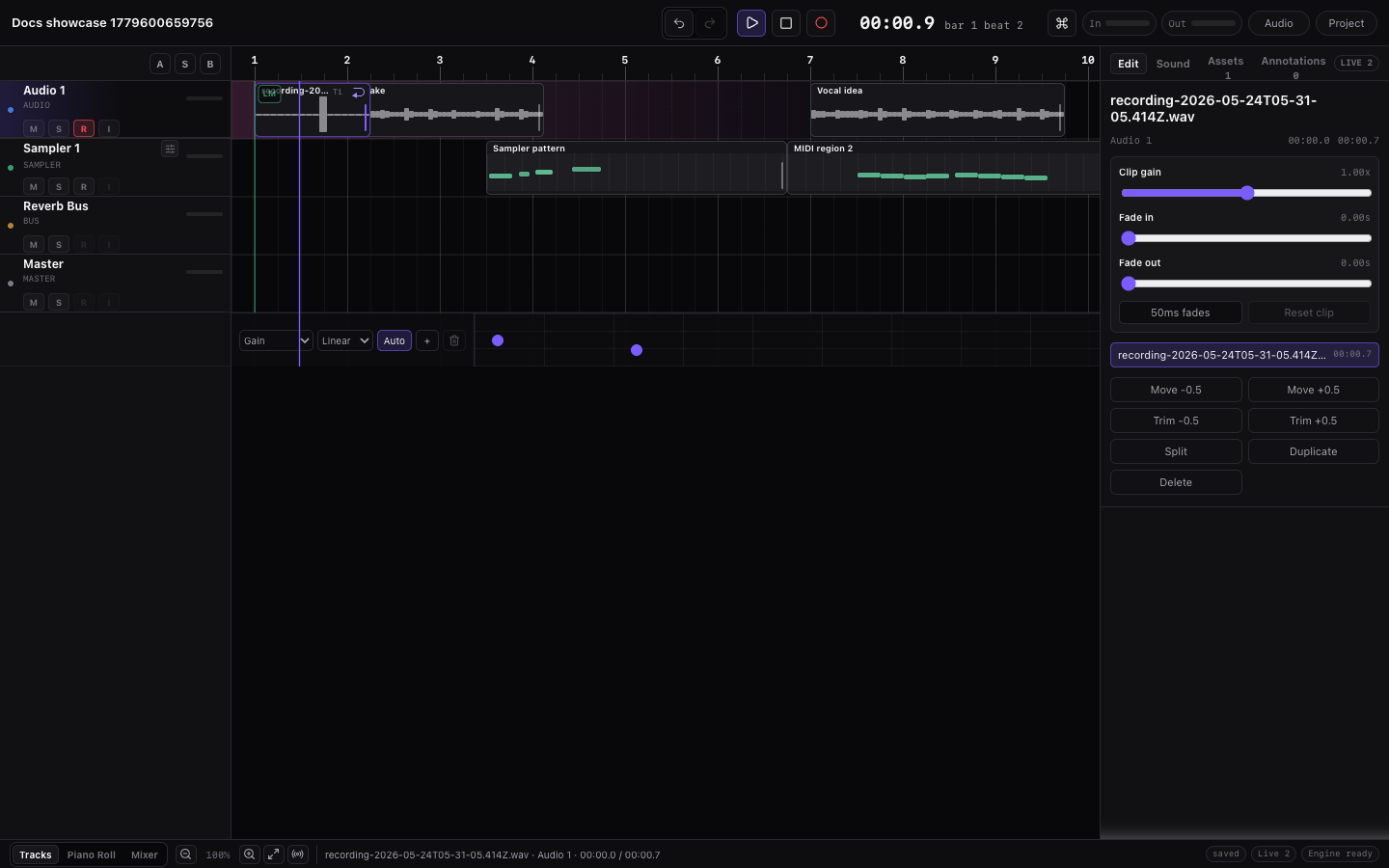
Sharing checklist
For the safest path from draft to shareable project link, start with Save, Share, and Export. Collaboration begins after collaborators unlock the same project.
Collaboration Safety Loop
Use this loop before and during a shared session:
| Step | Do this | Why it matters |
|---|---|---|
| Save | Turn the draft into a saved project and make a Save version before inviting someone. | Everyone starts from a recoverable version instead of a browser-only draft. |
| Share | Send both the /p/... project link and the password. | The link opens the project; the password unlocks editing, media, and export. |
| Coordinate | Agree who is editing which track, section, recording, or generated part. | Temporary locks help, but explicit ownership prevents avoidable overwrites. |
| Wait | Let upload, recording, export, and collaboration status settle before risky edits or reloads. | Large media and realtime edits need time to become durable for everyone. |
| Recover | Use History to open, restore, or fork a version if the shared session goes wrong. | Recovery is faster than manually reconstructing a complex arrangement. |
Collaboration works best when project safety is boring: save first, communicate targets, wait for status, then make another version after the shared edit sounds right.
Collaboration Model
Collaboration is project-based:
| Thing | Meaning |
|---|---|
| Project link | Opens the shared project. |
| Project password | Unlocks the project for the current browser session. |
| Unlocked session | Lets the current browser save, export, upload media, and sync for about 12 hours. |
| Live collaboration | The realtime session where unlocked collaborators exchange project edits and presence. |
| History version | A recovery point that can be opened read-only, restored, or forked. |
The safest mental model is simple: the live project keeps everyone current, and History gives you named recovery points.
Before You Invite Someone
- Save the draft as a project.
- Press
Spaceand confirm the current arrangement plays as expected. - Wait for imported or recorded audio to finish saving.
- Click History and make a Save version before a risky collaboration session.
- Click Share and send both the link and password.
Share is not a recovery point
The link lets someone open the project. A saved version lets you recover an earlier state. Make a version before inviting someone to make broad edits.
Share a Project
- Save a draft or unlock a project.
- Click Share in the top bar.
- Send the link and password to collaborators.
Collaborators open the link, enter the project password, and unlock the same project.
If a collaborator sees the unlock form, they have the link but have not unlocked it in that browser. If they see a read-only history version, they are inspecting a snapshot rather than editing the live project.
Open a Project Someone Sent You
When you receive a Miaou project link and password:
- Open the
/p/...link in desktop Chrome or Chromium. - Enter the project password.
- Wait for the project to unlock and for audio/media status to settle.
- Press
Spaceonce and confirm the arrangement plays. - Check presence so you know who else is in the project.
- Select the track, region, chord, marker, or effect you intend to edit before using shortcuts.
Before making broad edits, ask whether the owner wants a version saved first. If the project opens as a read-only history version, use Open project to return to the live project, or ask the sender whether they meant to share a snapshot for review.
First Shared Session
Use this routine the first time someone joins a project:
- Everyone opens the same
/p/...link and unlocks with the project password. - One person presses
Spaceonce and confirms the arrangement plays. - Each collaborator checks that project media has restored before editing audio regions.
- Agree on targets: who edits tracks, who edits MIDI, who edits chords, who records, who mixes.
- Make one small edit each, then wait for status to settle.
- Press
Spaceagain and confirm everyone sees the same project structure. - Save a version before broad edits, regeneration, recording, or export.
The goal is not to slow the session down. It is to make sure the shared link, password, media restore, and live project state are all working before the creative edits become large.
Connection Model
After unlock, collaborators join the same live project. Shared edits sync there, and the latest project state is saved automatically.
Manual Save version is still useful because it creates a named recovery point under History.
Safe Working Routine
Use a lightweight routine when more than one person is editing:
| Moment | Habit |
|---|---|
| Starting a session | Save a version and agree who is editing which tracks or sections. |
| Recording or importing audio | Let the upload/processing status finish before another collaborator edits that region heavily. |
| Regenerating chord-based MIDI | Save a version first, then regenerate so the previous notes can be recovered from History. |
| Editing the same region or notes | Watch for temporary locks and wait for the other edit to finish. |
| Sharing or exporting | Save a version, play the project once, then share or export. |
Divide the Work
Collaboration is easiest when people work on different targets at the same time.
| If one person is... | Another person can usually... | Avoid at the same time |
|---|---|---|
| Editing a MIDI region in Piano Roll | Mix another track, add markers, or edit a different MIDI region. | Editing the same MIDI notes or deleting that region. |
| Recording audio | Prepare another track, listen, or add notes outside the recording target. | Moving/splitting the live recording target. |
| Changing Chord Track blocks | Edit sounds, mix levels, or work on unrelated audio regions. | Regenerating chord-based MIDI from the same section. |
| Regenerating a marker section | Work outside that marker range or wait for the generated regions to land. | Editing the same generated MIDI regions. |
| Setting up sends or sidechain | Edit arrangement regions on unrelated tracks. | Changing the same bus/routing path without checking. |
| Exporting or saving a version | Wait for status to finish before broad edits, import, recording, or close. | Closing/reloading while sync or export is still active. |
When two people need the same region, take turns and use the presence/selection state as the handoff signal.
What Syncs
Miaou syncs project data and referenced project media. If another collaborator reloads and unlocks the same project, these are the parts they should see:
| Area | Synced project data |
|---|---|
| Song structure | Project title, track order, markers, marker reminders, Chord Track blocks, project key/scale, and BPM. |
| Timeline material | Audio regions, MIDI regions, MIDI clips, loop-recorded take choices, comp slices, and take metadata. |
| Audio and timing | Uploaded recording/import references, Source BPM, Follow project tempo, stretch mode, and loop range. |
| Instruments | Built-in instruments, drum kits, per-track instrument settings, custom sample settings, and sampler state. |
| Mix and routing | Volume, pan, mute/solo state, routing, sends, Track Effects, Master Effects, buses, and automation. |
Some state is intentionally local to each browser:
| Local browser state | Why it stays local |
|---|---|
| Audio playback output | Each collaborator hears through their own browser, audio device, and volume setting. |
| Live transport monitoring | Presence can show playing, recording, seeking, and remote playheads, but it does not force playback. |
| Device permissions | Microphone, audio input, MIDI device, and monitoring permissions belong to the current browser. |
| Temporary edit focus | Selection and short edit locks help collaborators avoid conflicts, but they are not permanent ownership. |
Presence
Remote collaborators can appear with:
- Idle state.
- Playing state.
- Recording state.
- Seeking state.
- Remote playhead.
- Selected track/region context.
Presence helps you see where others are working. Audio playback itself is local to each browser; shared edits and uploaded recordings sync through the project and project media storage.
Temporary Locks
Miaou uses short-lived remote locks for sensitive edits such as:
- Recording.
- Region editing.
- MIDI editing.
- Chord editing.
- Track renaming.
Locks are temporary and are designed to prevent accidental conflicting edits. They are not permanent ownership or permissions.
If a control feels unavailable while someone else is editing nearby, wait a moment and watch the presence/selection state. Use History rather than trying to manually reconstruct a lost edit after a conflict.
If Two People Touch the Same Material
Temporary locks prevent many obvious conflicts, but collaboration is still easiest when users notice the target before acting.
| Situation | Best response |
|---|---|
| A control is unavailable | Wait for the other edit to finish, then select the target again. |
| A region, note, chord, or marker moved oddly | Stop editing and use undo immediately if it was your last action. |
| A generated MIDI section changed underneath you | Open From chords and check the source state before regenerating. |
| A collaborator made a broad edit you dislike | Open History and inspect the previous version before restoring or forking. |
| You both need different directions | Fork a version into a separate project instead of fighting the same live arrangement. |
Use verbal coordination for big operations such as recording, import, section generation, track deletion, and restoring history versions. Miaou can sync the project, but it cannot decide which collaborator's musical intention is correct.
Playback Sync
When collaborators edit the project, playback updates to reflect the latest synced project data. Transport state and remote playheads are shared as presence, but the important rule is: what you hear should match the latest synced project state.
Saving in Collaboration
Realtime edits sync through the shared project and are saved automatically. A version is still useful as a clear recovery point before risky edits or export.
Use Save version during collaboration when you want a safe point that can be opened read-only or restored later.
For the project lifecycle, see Projects and Storage. For the export and version checklist, see Save, Share, and Export.
If Collaboration Looks Stale
| Symptom | Try |
|---|---|
| A collaborator cannot hear your change | Confirm both browsers are unlocked, then wait for sync before playback. |
| A shared link opens an empty draft | Make sure you sent the /p/... saved project link, not a local draft state. |
| Audio is missing after reload | Unlock the project so Miaou can restore referenced project media. |
| A region changed while someone else was editing | Use History to open the previous version, then restore or fork if needed. |
| Save version is waiting for sync or media status | Wait for collaboration/media status to settle, then try again. |
| Someone needs a separate direction from the song | Open History, choose a version, and Fork version into a separate editable project. |
| You are not sure who is editing what | Use presence, remote playheads, selected track/region context, and explicit verbal coordination. |
Privacy Notes
- Anyone with the project link and password can unlock the project.
- Unlocked browser sessions expire after about 12 hours.
- Miaou does not have account-level access lists.
Related Pages
- Save, Share, and Export is the practical checklist before sending a project or export.
- Projects and Storage explains project links, passwords, versions, restore, and fork.
- Troubleshooting covers collaboration, missing audio, export, and save-state symptoms.